
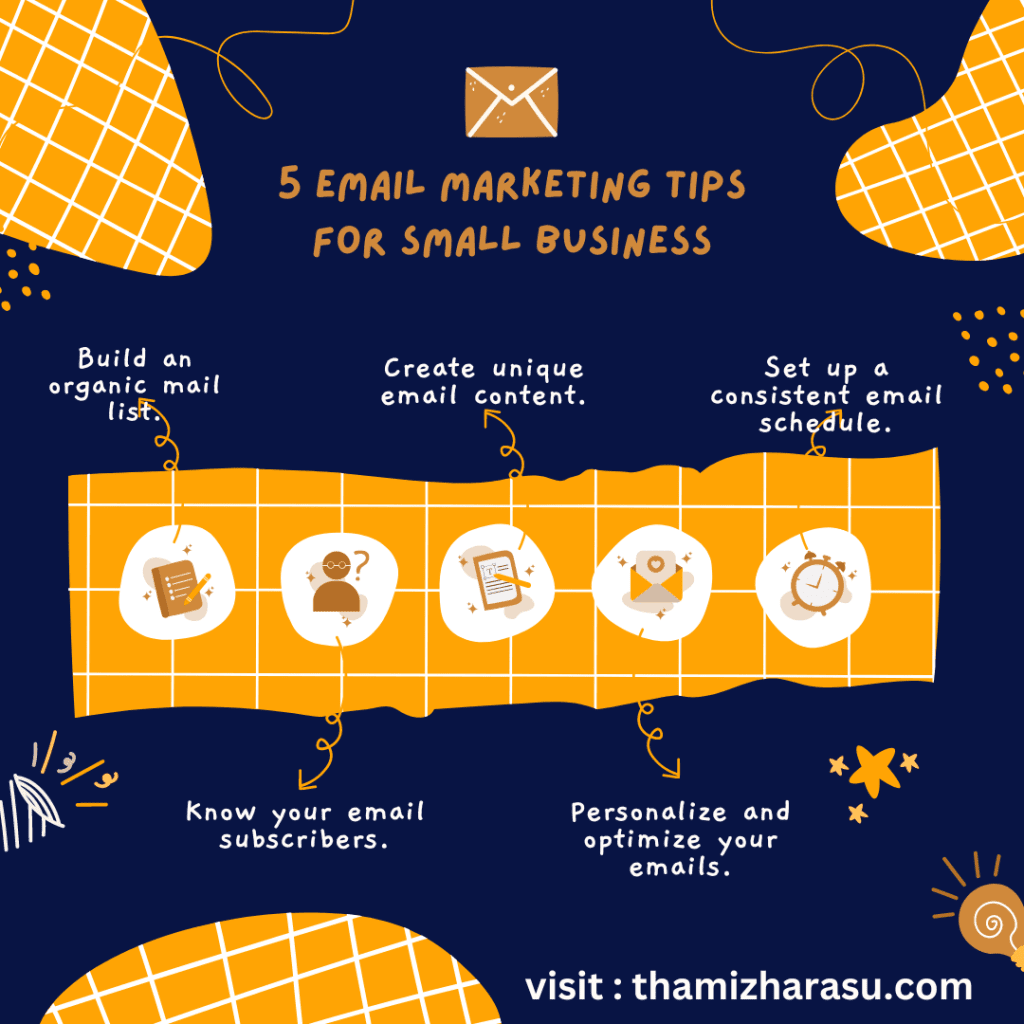
Email marketing for a small business starts with five basic steps: choose a clear goal, select an email service provider, collect permission-based contacts, send useful messages, and measure the results. In the United States, your process must also follow the CAN-SPAM Act and the rules of your email provider.
You do not need a large list or a complex sales funnel. A small business can begin with one sign-up form, one welcome email, and one useful email each week or month. The goal is to build trust and give people a clear reason to stay subscribed.
What Is Email Marketing?
Email marketing is the use of email to communicate with people who have agreed to receive messages from a business. Common messages include newsletters, product updates, appointment reminders, special offers, educational tips, and follow-up emails.
For a small business, email can support several goals:
- Bring past customers back.
- Turn website visitors into leads.
- Promote products or services.
- Share news and helpful advice.
- Confirm bookings or purchases.
- Build a direct relationship with customers.
Email is different from social media because you do not depend on a social platform to reach your audience. However, you still depend on an email service provider, inbox rules, and subscriber consent.
The best email programs are useful before they are promotional. A local bakery might share seasonal menus and pickup dates. A home repair company might send maintenance tips. A business consultant might send short planning guides.
Email marketing terms to know
| Term | Meaning |
|---|---|
| Subscriber | A person who has agreed to receive email from your business |
| Email service provider | A platform that stores contacts and sends email campaigns |
| Campaign | A planned email sent to some or all subscribers |
| Automation | An email or series that sends after a set action or event |
| Open rate | The percentage of delivered emails recorded as opened |
| Click-through rate | The percentage of delivered emails that receive a tracked click |
| Unsubscribe rate | The percentage of recipients who leave your list |
| Bounce | An email that cannot be delivered |
| Conversion | The action you want, such as a purchase, booking, or form submission |
Open rates can be affected by privacy tools and technical limits. Therefore, clicks, replies, sales, bookings, and other direct actions often provide stronger evidence of performance.
Step 1: Set One Clear Goal
Choose one main goal before you write an email or build a list. A clear goal helps you select the right audience, offer, call to action, and measurement method.
Common goals include:
- Generate sales: Send an offer for a product or service.
- Get bookings: Ask readers to schedule a call, visit, or appointment.
- Build leads: Offer a guide, checklist, class, or consultation.
- Increase repeat purchases: Remind customers about related products or refill dates.
- Improve retention: Send useful updates that keep customers engaged.
Avoid trying to sell, educate, announce news, and collect reviews in one email. One main action makes the message easier to understand.
Use a simple goal formula
Write your goal in this format:
We will send [message] to [audience] so they will [action], measured by [metric].
For example:
We will send a spring service reminder to past lawn-care customers so they will request a quote, measured by completed quote forms.
This goal also tells you what to track. If the goal is a sale, measure completed sales rather than only opens.

Step 2: Choose an Email Service Provider
Use an email service provider rather than sending marketing messages from a personal Gmail, Outlook, or business mailbox. A provider can manage subscriptions, unsubscribes, templates, delivery limits, and campaign reports.
When comparing platforms, check these features:
- Sign-up forms for your website.
- Contact tags or audience groups.
- Welcome email automation.
- Unsubscribe tools.
- Bounce and complaint handling.
- Mobile-friendly templates.
- Link and conversion tracking.
- Integration with your website or online store.
- Export tools for your contact data.
- Customer support and documentation.
- Pricing as your list grows.
Examples of email platforms include Mailchimp, Constant Contact, Brevo, Kit, HubSpot, and other providers. Features, limits, and prices can change. Review the provider’s current terms before you subscribe.
How to choose the right platform
Choose a simple platform if you have a small list and need newsletters, forms, and basic automation. Choose a platform with stronger customer relationship management tools if you need lead scoring, sales pipelines, or detailed customer records.
Do not choose a service only because it has the lowest starting price. A low-cost plan may limit automation, contacts, sending volume, or support. Compare the features you need today with the likely cost when your list grows.
Your provider should also support good sender practices. Look for clear tools for authentication, unsubscribe requests, suppressed contacts, and complaint reports.

Step 3: Create a Permission-Based Email List
Build your list with clear permission. People should understand that they are signing up to receive email from your business.
Good ways to collect subscribers include:
- A form on your website.
- A checkout sign-up box that is not preselected.
- A QR code at your store or event.
- A sign-up link in your social media profile.
- A registration form for a class or webinar.
- A useful download, such as a checklist or guide.
- An in-person request followed by a clear sign-up process.
Use plain language near the form. For example:
Get one practical home-care tip each month, plus occasional service updates. You can unsubscribe at any time.
If you offer a discount or download, state that the person is joining your marketing list. Do not hide that condition in small text.
Do not buy an email list
Purchased lists often contain people who never agreed to hear from your business. They can lead to spam complaints, poor delivery, damaged trust, and possible legal problems.
Do not copy email addresses from websites, business cards, social media pages, or public directories and treat them as marketing permission. A person giving you an email address for a receipt, quote, or service request does not always mean they want promotional messages.
Keep a record of how and when each contact joined your list. Your email platform may store this information automatically. If you collect contacts in person, record the source and the wording used to request permission.
Step 4: Follow U.S. Email Marketing Rules
The CAN-SPAM Act applies to commercial email in the United States. The Federal Trade Commission explains that businesses must not use deceptive header information or subject lines. Commercial email must also identify itself as an advertisement when required, include a valid physical postal address, and provide a clear way to unsubscribe.
The law also requires businesses to honor opt-out requests within the required time. The FTC states that an email sender generally has 10 business days to stop sending messages after an opt-out request. You remain responsible for messages sent by another company on your behalf.
Review the current guidance from the Federal Trade Commission before launching a campaign. The FTC guidance is the controlling source for these general CAN-SPAM requirements.
Basic compliance checklist
Before sending a marketing email, confirm that:
- The sender name is clear and accurate.
- The subject line matches the email content.
- The message does not use deceptive routing information.
- The email includes your valid postal address.
- The unsubscribe link is easy to find.
- Unsubscribe requests are honored.
- You do not email people who have opted out.
- Your provider’s suppression list remains active.
State laws and other rules may also apply. If you serve customers in other countries, privacy laws in those countries may affect your process. A lawyer can help when you have a complex data practice, a large list, health information, financial information, or customers in several regions.

Step 5: Build a Simple Sign-Up Form
A good form asks only for information you need. For most small businesses, an email address and first name are enough to begin.
A basic form can include:
- A short headline.
- One clear benefit.
- An email field.
- An optional first-name field.
- A consent statement.
- A visible sign-up button.
- A link to your privacy notice.
Example:
Get monthly kitchen tips
Receive simple recipes and seasonal cooking ideas from our Chicago kitchen.
[Email address] [Join the list]
Avoid vague buttons such as “Submit.” Use a direct label such as “Get the tips” or “Join the newsletter.”
Place the form where visitors can see it without interrupting their task. Good locations include your home page, blog, contact page, checkout page, and confirmation page. Test the form on a phone before promoting it.
Offer a useful reason to subscribe
People share their email address when the benefit is clear. Possible offers include:
- A first-order discount.
- A short guide.
- A printable checklist.
- Early access to an event.
- Appointment openings.
- Local updates.
- A useful email series.
The offer must match your business and audience. A generic prize or unrelated giveaway may attract people who do not want your products or services.
Step 6: Send a Welcome Email
Send a welcome email soon after someone subscribes. The first email should confirm what the person signed up for and set expectations.
A useful welcome email can include:
- A clear thank-you.
- A short statement about what the reader will receive.
- The promised download, discount, or next step.
- A brief introduction to your business.
- One helpful link.
- The expected email frequency.
Example structure:
Subject: Welcome to the Northside Garden list
Thanks for joining us. You will receive two short garden tips each month, plus seasonal service updates.
Start with our guide to preparing a small yard for spring. If you need help with a specific project, reply to this email and tell us what you are planning.
Do not put every detail about your company in the welcome email. The first message should help the reader take one simple action.

Step 7: Plan Your First Three Emails
A small business does not need a complicated content calendar. Plan three emails before you start so the list does not become inactive after the first message.
A simple sequence might be:
- Email 1: Welcome. Confirm the subscription and explain what comes next.
- Email 2: Helpful content. Answer a common customer question.
- Email 3: Relevant offer. Present a product, service, consultation, or event.
Use a consistent schedule that you can maintain. Monthly email is better than weekly email that stops after one month. Some businesses may send weekly updates, while others may send only when they have useful news.
Use a basic email structure
A clear email often contains:
- One main subject.
- One main idea.
- Short paragraphs.
- A useful image only when it adds meaning.
- One primary call to action.
- A plain-text version or accessible text.
- A complete business signature.
Write for a phone screen. Use descriptive links such as “Book a repair visit” instead of “Click here.” Make sure the message still makes sense if images do not load.

Step 8: Segment Your Audience
Segmentation means sending different messages to different groups. It helps you avoid sending every offer to every subscriber.
Useful segments may include:
- New subscribers.
- Past customers.
- Prospects who have not purchased.
- Customers interested in a specific product.
- People in a service area.
- Event attendees.
- Subscribers who have not engaged recently.
Start with information you can collect accurately. Do not ask for many personal details unless they improve the service.
For example, a pet-care business might send different messages to dog owners and cat owners. A local clothing store might separate customers by product interest. A service company might separate residential and commercial customers.
Segmenting does not require a complex system. Tags, groups, forms, and purchase records may be enough for a small list.

Step 9: Measure Results That Match Your Goal
Review performance after each campaign, but do not judge one email in isolation. Look for patterns over several sends.
Useful measurements include:
| Goal | Primary metric | Supporting metrics |
|---|---|---|
| Sell a product | Completed purchases | Revenue, clicks, conversion rate |
| Get appointments | Completed bookings | Clicks, replies, form visits |
| Build leads | Completed sign-ups | Downloads, replies, landing-page visits |
| Retain customers | Repeat purchases | Clicks, replies, unsubscribe rate |
| Share information | Useful page visits | Clicks, replies, forwards |
You can calculate a basic conversion rate as:
Conversions ÷ delivered emails × 100
For example, if 500 emails are delivered and 15 people book an appointment:
15 ÷ 500 × 100 = 3% conversion rate
This is a hypothetical calculation, not a benchmark. Your result depends on your audience, offer, industry, timing, list quality, and sales process.
Open rates can help identify broad engagement, but they are not a complete measure of success. Privacy features and image-loading behavior can affect open tracking. Use clicks and completed actions when possible.
Step 10: Improve Delivery and List Health
Good delivery begins with permission and useful content. It also depends on technical settings and steady sending habits.
Before sending, check that:
- Your domain has the recommended authentication records.
- Your sender address uses your business domain.
- Your physical address is present.
- Your unsubscribe link works.
- Your links lead to the correct pages.
- Your email looks good on a phone.
- Your provider removes or suppresses hard bounces.
- You are not sending to people who opted out.
Email authentication may include SPF, DKIM, and DMARC. These are domain settings that help receiving systems verify that messages are authorized. Your email provider’s setup guide should explain the records for its system.
Do not make sudden jumps from a tiny list to a very large sending volume. Send useful messages at a steady pace, and remove invalid contacts. A clean, permission-based list is more valuable than a large list with poor engagement.
What to do when results are poor
If few people click, review the offer, message, and call to action. The email may be unclear or may not solve a real customer need.
If many people unsubscribe, check whether the frequency, topic, or sign-up promise has changed. Make the value and schedule clear at the point of subscription.
If messages bounce or reach spam folders, stop increasing volume. Check authentication, list sources, complaint reports, and inactive contacts. Contact your provider’s support team if you cannot identify the cause.

Common Email Marketing Mistakes
Small businesses often lose time and trust through a few avoidable mistakes:
- Sending marketing email without clear permission.
- Buying or borrowing a contact list.
- Using misleading subject lines.
- Sending too often without useful content.
- Sending only sales messages.
- Hiding the unsubscribe link.
- Using a personal mailbox for bulk email.
- Ignoring mobile readers.
- Adding too many calls to action.
- Failing to test forms and links.
- Keeping invalid or opted-out contacts.
- Measuring opens without checking sales or bookings.
The most damaging mistake is breaking the promise made at sign-up. If a person joined for monthly tips, do not immediately send several daily sales messages. Keep the content, timing, and frequency close to the original expectation.

A Practical 30-Day Email Marketing Plan
Use this schedule to start without building a large system.
Week 1: Prepare
- Choose one business goal.
- Select an email service provider.
- Create or review your privacy notice.
- Set up your business sender address.
- Confirm your postal address and unsubscribe process.
Week 2: Build
- Create one sign-up form.
- Write the sign-up promise.
- Create a welcome email.
- Connect the form to your email platform.
- Test the form on desktop and mobile.
Week 3: Write
- Draft two helpful emails.
- Draft one relevant offer.
- Add one main call to action to each message.
- Check links, spelling, images, and accessibility.
- Send test messages to your own accounts.
Week 4: Launch and review
- Invite people to join through your website and normal customer channels.
- Send the welcome email.
- Send the first useful message.
- Review clicks, replies, unsubscribes, bounces, and conversions.
- Record what worked and what should change.
Start with a system you can maintain. Consistency, permission, and useful content matter more than a large number of features.
Key Takeaways
- Choose one measurable goal before sending email.
- Use an email service provider built for marketing messages.
- Collect permission through clear sign-up forms.
- Do not buy or copy email lists.
- Follow the CAN-SPAM Act and your provider’s rules.
- Send a useful welcome email.
- Keep messages short and focused.
- Segment subscribers when the difference matters.
- Track clicks, sales, bookings, and replies.
- Keep your list clean and honor unsubscribe requests.
FAQs
How many subscribers do I need before starting email marketing?
You can start with a small list. The key requirement is permission, not a specific number of subscribers. A list of 25 relevant contacts can teach you more than a list of 1,000 people who never agreed to hear from you.
How often should a small business send marketing emails?
Send messages as often as you can provide useful information without annoying subscribers. Monthly is a reasonable starting point for many businesses. State the expected frequency when people sign up, then review unsubscribe and complaint patterns.
Can I email customers who bought from my business?
A purchase does not always create unlimited marketing permission. Transactional messages, such as receipts and delivery updates, are different from promotional messages. Use a clear sign-up process for marketing email, and review the CAN-SPAM requirements that apply to your situation.
Should I use double opt-in?
Double opt-in sends a confirmation email before adding a person to the active list. It can help confirm that the address is valid and that the person intended to subscribe. It also adds one more step, so choose the process that fits your audience, provider, and risk level.
What is the best email marketing software for a small business?
The best platform depends on your list size, budget, website, sales process, automation needs, and reporting requirements. Compare sign-up forms, unsubscribe handling, integrations, support, authentication guidance, and future pricing rather than choosing only by brand name.
What should I do if my email goes to spam?
Check whether you have permission to email the recipients, whether your domain authentication is set up, and whether your list contains invalid or inactive contacts. Review complaint data and stop sending to people who opted out. Your email provider can help investigate delivery problems.
Conclusion
To start email marketing for a small business, choose one goal, use a reputable email service provider, collect clear permission, send a welcome email, and follow with useful content. Measure the action that supports your business, such as a sale, booking, reply, or completed form.
Your next step is simple: write a one-sentence sign-up promise and create the first form around it. Then send only the messages you would consider useful if you were the customer.